ON7EQ SPE Expert Remote Console

I recently treated myself to a new HF amplifier from home, an SPE Expert Taurus.

SPE Expert Taurus amplifierLike most modern amplifiers there is PC software for controlling it without having to use the buttons on the front panel. This is convenient when you can’t reach (or see in my case) the buttons and also helps prevent the membrane keyboard from wearing out.
However, in my shack I have an issue with RF when the beam is pointing towards the house (it’s only 8 feet from the house) or on 40m using the vertical (only 20 feet from the house). Despite me having chokes everywhere, on the radio side and the PC cables, radiated RF gets in and crashes the PC software in such a way that I cannot kill the task other than with a PC restart, which is most inconvenient indeed.

So when Jean-Jacques ON7EQ posted in the SPE Expert group that he had made a small remote console to do this it was the perfect answer to my issue!
Jean-Jacques’ page describing it all is here:
https://www.qsl.net/on7eq/projects/arduino_spe_remote_console.htm

Reading his page I noted that he had used a housing from one of the 3D model download site but he had to make several modifications to make it suit the job. Well, that just won’t do I decided, I will draw up a similar housing that is specific for Jean-Jacques’ great project.

Firstly I decided the Cheap Yellow Display would be better fitted into the front panel then you could wire up the unit easier and made provision for a light pipe rather than drill  a hole and use LED body. Also, my prototype, based on the one ON7EQ had used was showing the silver borders around the display window so I tweaked it to cover those and make it look better. I made the cable exit to the rear rather than the sides as I thought this would be neater for most shacks and included a cable clamp. I made integral standoffs to mount the regulator on a small heatsink and a small PCB made from Vero style stripboard. Also a mounting position for the very tiny RS232 PCB and a place for the piezo buzzer and a speaker grill for that. The front panel snaps onto the body without fixings so all fixings are hidden under the base.
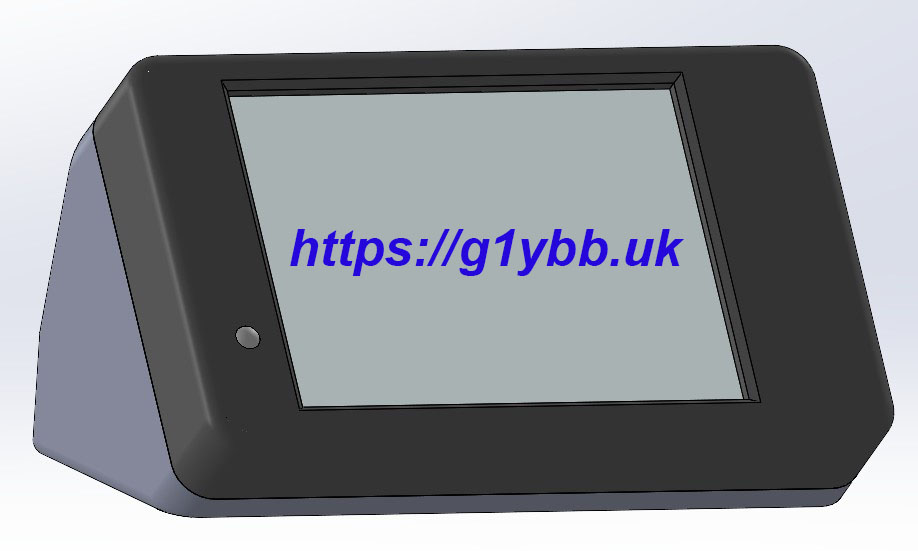
complete unit front view 3Dbody view inside 3DThe files are available below, with several different options for cable exits. As I have a cable from my IC7610 to the amplifier which powers up the amp I didn’t require the power up circuitry and so didn’t need a cable hole for that. I brought the 12V DC in on the speaker wire style twin wire so have a separate entry for that.
G1YBB design housing files

As I didn’t want the power up circuitry my BOM does not have those but the parts are detailed on ON7EQ’s page. I had literally no parts in stock for this so my costs included everything apart from the 3D printed enclosure. Some parts I had to buy 5 or 10 when I wanted just one and a reel of cable when I only wanted a short length. Even so EVERYTHING came to just £52.18.
Click the image to open a PDF with clickable links to the part sources.
Bill of materialsThe circuit is very basic but as a guide here is my layout from which you can copy the PCB size should you wish. The case mountings in my design are spaced to match the 0.1″ pitch of the stripboard.
stripboard layout
There is not a lot of wiring but it is quite fiddly, mostly the RS232 PCB as it’s tiny and the data connections are only surface mount pads so care is required to not stress those and rip them off.

The recess for the RS232 PCB is a nice fit, check the PCB goes in OK before wiring. I ran a file over the break off edges to smooth them off but not too much to make it loose. The recess is designed to take the PCB with the IC upwards and the RS232 side towards the cable exit. This should mean the surface mount capacitors on the rear are towards the clearance pocket in the PCB cradle.

The piezo buzzer was a press fit into the recess I’d drawn for it but I also used some hot glue to keep things in place, and also as strain relief at the cable exits from the display PCB.

I tested it works before finally fitting the RS232 PCB into the enclosure.
UNPLUG THE USB LEAD FROM AMPLIFIER BEFORE TESTING.
The remote port will not work with the USB cable attached and the amplifier manual states damage is not impossible if both are in use.
I had to swap the serial data wires from the CYD to the RS232 PCB to the original circuit Jean-Jacques had. You may or may not need to so the same.

Here is my unit before fitting the front panel.
inside wired up
Here is the rear view. I fitted a ferrite at the amplifier end and the console end.
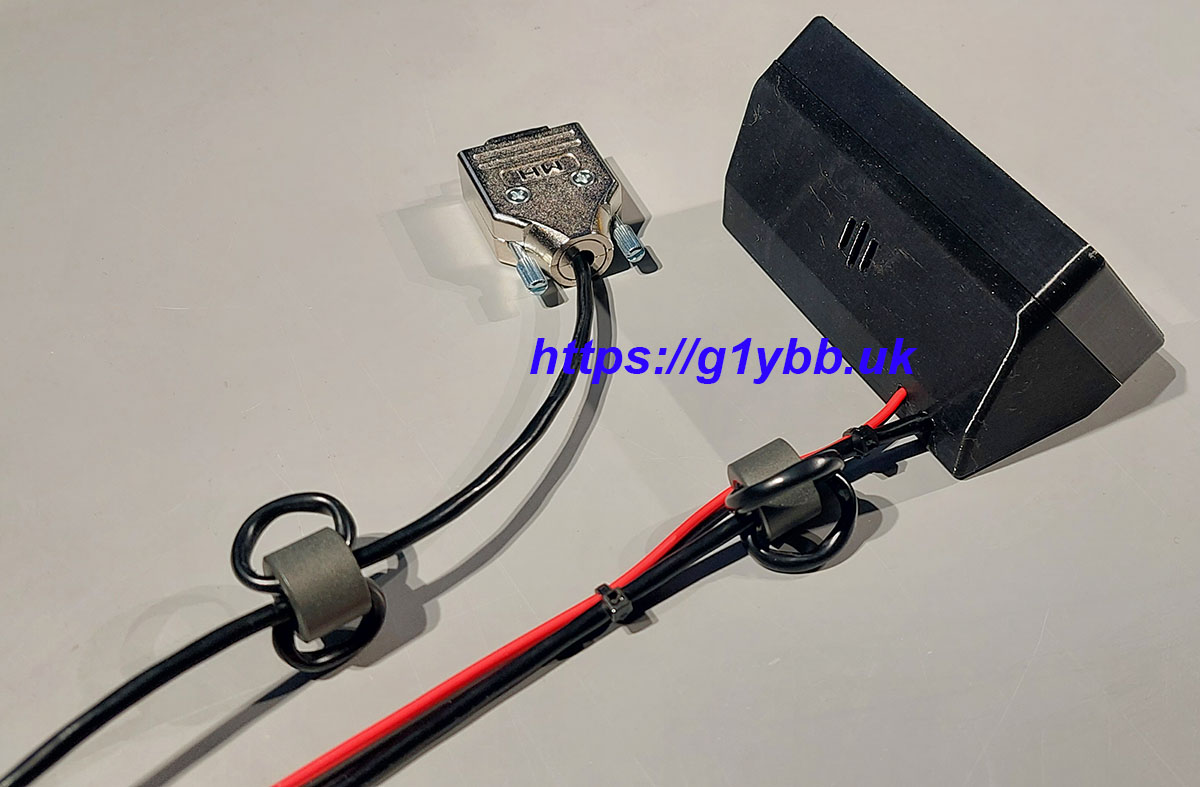
cables detail

Many thanks to Jean-Jacques ON7EQ for his design of the SPE Expert remote console.
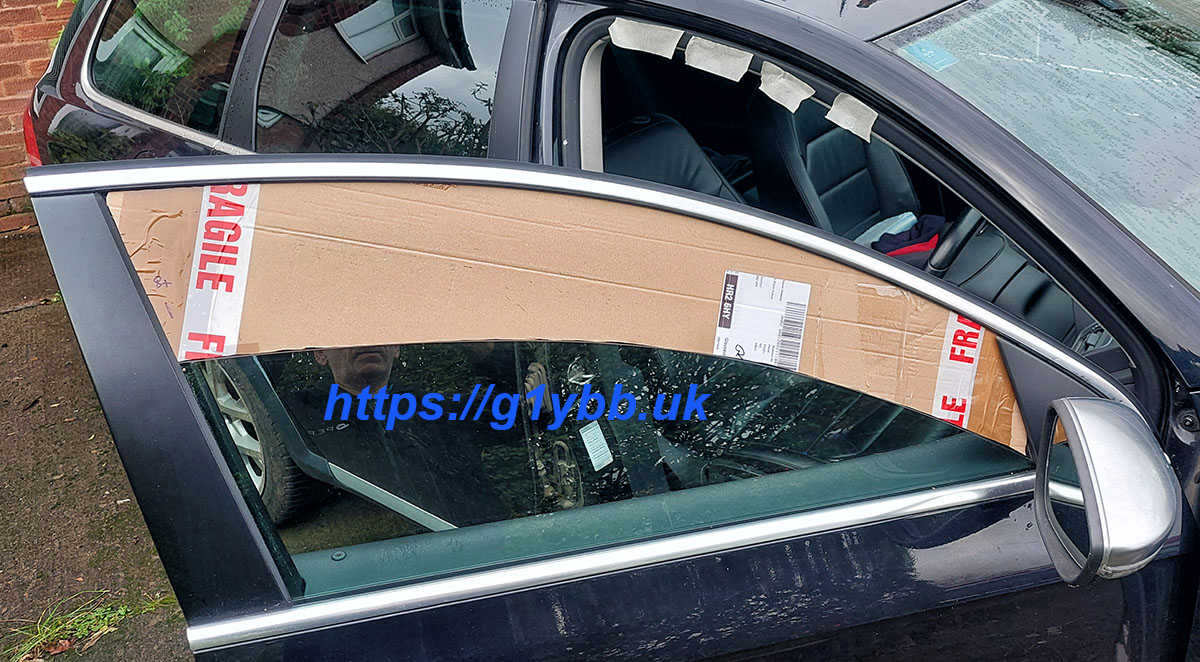
Improved car portable cable access

I’ve been using this method of bringing my cables in for a few years now:
Car Portable Cable Access

And whilst this has been OK it has some drawbacks. Once while packing away it blew away so I am actually using the 2nd incarnation! It forces the cables to the very top of the window by design which for stiffer coax like the LBC400 I use can make it awkward to pass it to the far side of the car for the weekend contests using amp(s). Also bugs manage to locate the very small gap there is and attack me as the light it directly above my head in the car.

So time for a new one. Clive G8LNR showed me pics of his which is a piece of thin ply and a letterbox. The letterbox I thought was a great idea so I decided to steal that idea.

So here I describe the making of my improved car portable cable access.

I wanted to make mine inherently waterproof so plastic was the obvious choice so I asked my friend Paul who ran a plastic injection molding company the best plastic to use and he recommended polypropylene so I got some 3mm sheet after measuring the window which was 4mm thick. Some places did 3mm and 5mm, some did 3mm and 4.5mm and some did 3mm and 4mm, alegedly. Following my Moulder principal of trust no-one, I ordered 3mm as I wanted to ensure it would fit into the same channels in the door as the glass does.

Checking the dimensions of letterboxes I realised that I needed the maximum opening I could get at the door pillar end of the glass. I started off by scribing the window curve onto cardboard, cutting the sides to shape then opening the window to the desired amount and scribing the curve again. I had to make a second cardboard one as the ends were truncated but soon had that test fitted:

cardboard template fitted
Then a case of taping that to my 1000 x 500mm sheet of polypropylene to trace ready for cutting:

marking sheet with template
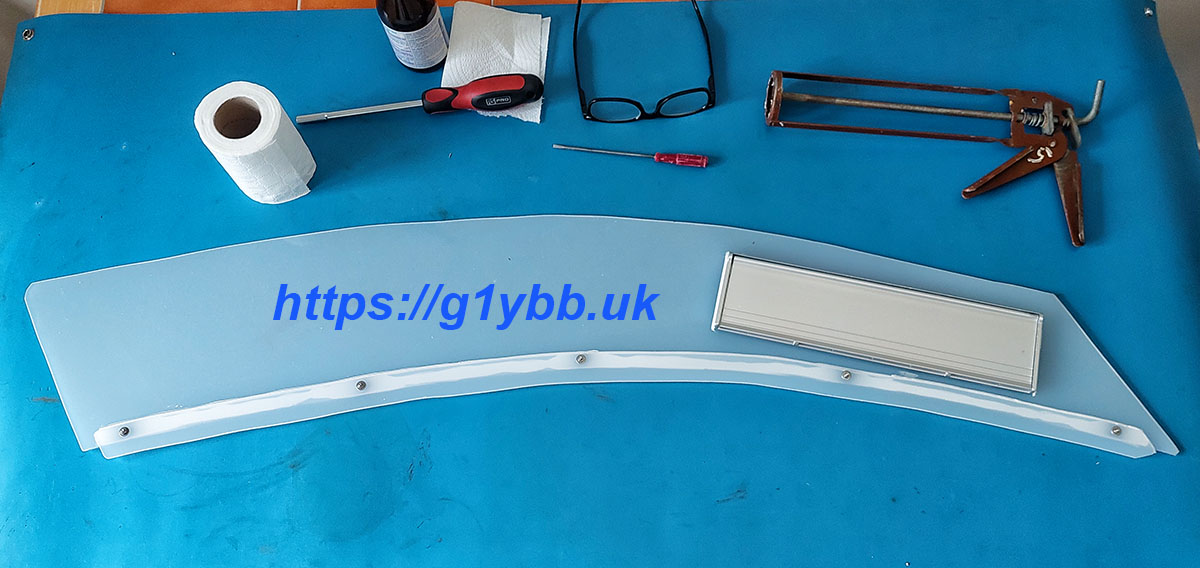
I then cut this out with a jigsaw using a metal cutting blade. After deburring it was time for the moment of truth. To fit it I would have the window down and insert the narrow end by the door pillar then flex it so I could insert it into the opposite channel then slide it up into the top channel. Then carefully raise the window to pretty much press it into the top channel. Only very slightly though as my car has one of those not required ‘safety’ features that if it detects any unexpected resistance it panics and winds the window back down again. Grrr. But managed to get it just right and et voici:

plastic test fitted
A bit of wavy line syndrome, both from the cardboard cutting and the jigsaw but more than close enough for this job.
I then used the offcut to cut a thin strip to attach to the outside as a cover for the plastic to glass joint to keep water out. A slot was cut out for the letterbox and everything drilled and screwed together with mastic to seal things up.

mainly assembled

But we are not quite there yet.

As by design this is quite flexible, there is nothing to stop it bowing outwards from the glass at the bottom. It shouldn’t much due to being in the top window channel but it wouldn’t be a G1YBB design if I didn’t deal with that.

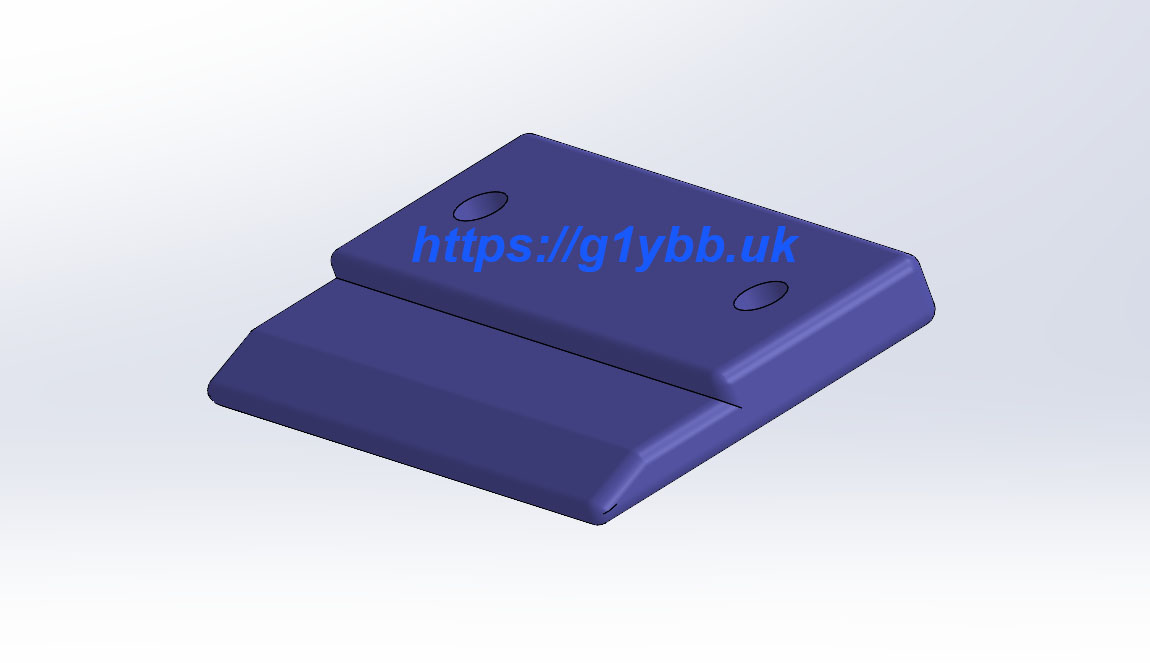
A few minutes in 3D CAD and a few more on the 3D printer and I had two clips to fit to the inside. It has a 1.5mm thick step (3mm polypropylene + 1.5mm > 4mm glass) and a tab to slide the glass past.

3D printed window clip

These were fitted then the assembly left over the weekend to give the mastic some time to set.

And here is how it looks on the maiden test fit:

If I can get a photo in the next UKAC I will but setup is now in the dark. I’ll definitely take one from the inside though and update soon!.

Are 3D printed parts strong enough?

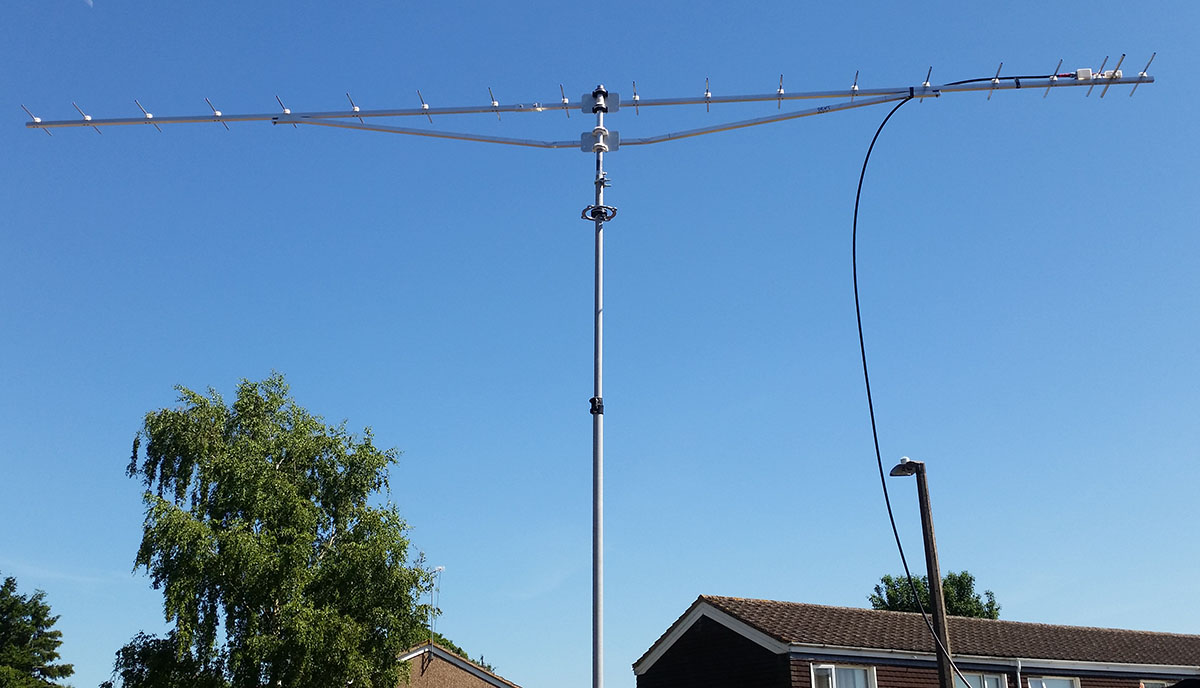
I’ve been making 3D printed parts for years now, all functional. Drill jigs, cutting jigs, antenna parts, all sorts. For most of these years I have only printed with PLA+ which is to be honest not the best choice, however it DOES work. You just need to know it’s limitations. The below antenna is one of 5 I made and every element mount, the dipole box and the N type box are all 3D printed in PLA+. I use this antenna portable (sometimes 2, I’ve yet to put any actual RF up 2 more and 5th one a friend uses) and it works great:
19 element DK7ZBHowever I have noticed some stress fractures in the tops of some of the element mounts. PLA+ is very rigid and a bit brittle. It also will distort in the heat of a parked car in the sun.

More recently I have got a new printer, the Bambu Lab P1S with AMS which I have actually experimented with and switched to using PETG, which I already knew is a stronger material.

Bearing in mind the above you may ask “Are 3D printed parts strong enough?”

Well this week I have come to the conclusion the answer is pretty much yes!

For one of my current antenna projects (will they ever end???) I have designed and printed some drilling jigs (nothing new there) but have decided as they will be used a few times I would turn some small brass bushes to press in so the drill doesn’t wear way any plastic and make the hole fit sloppy.

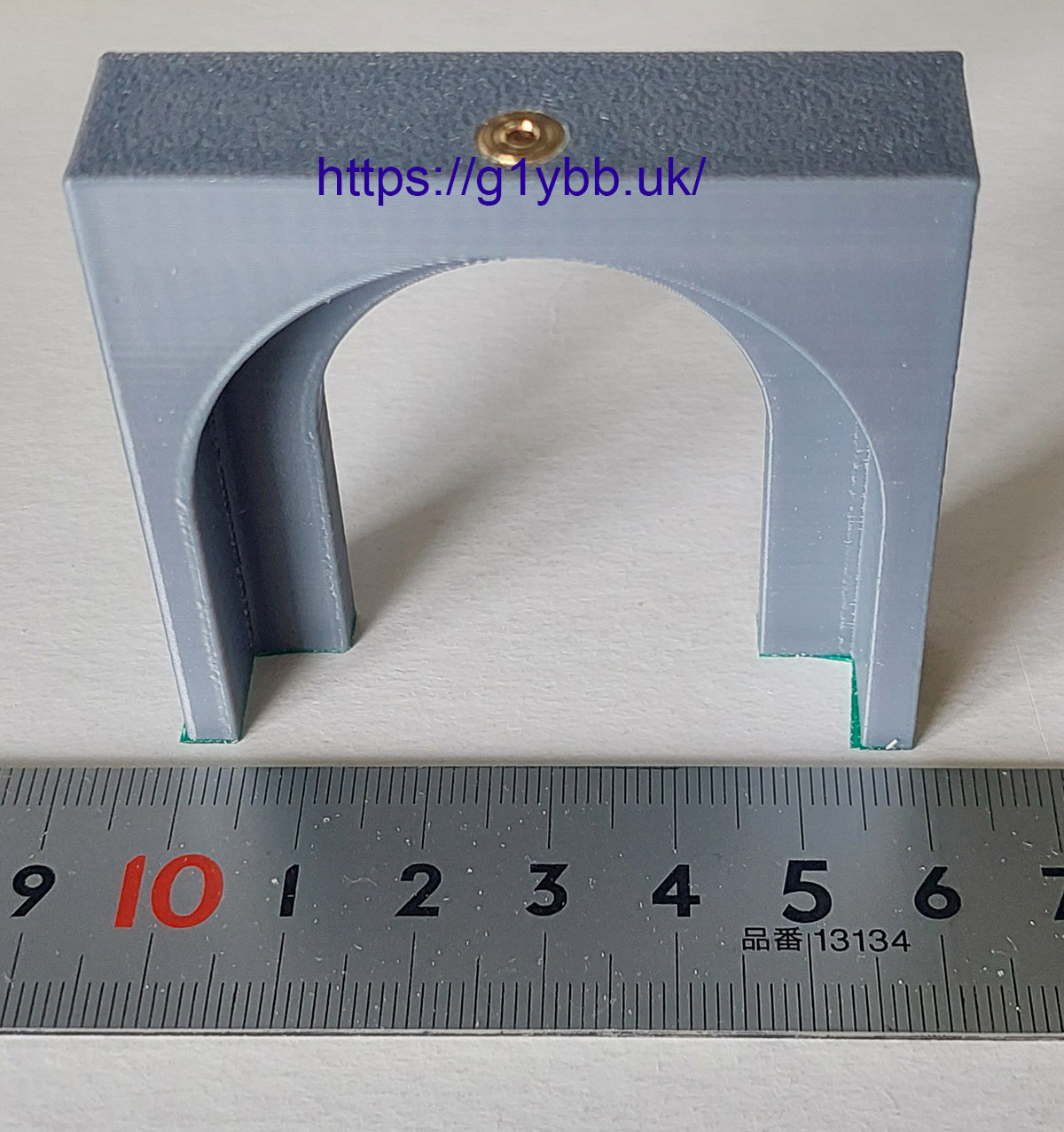
Here is one. You can see it is 60mm wide and the brass bush has a 6mm external diameter:
jig before breakingI wasn’t happy with that jig so decided to tweak the design and print it again. But I didn’t want to turn another brass bush so needed to get it out. It’s pressed in and wasn’t keen on coming out at all.
No problem, I’ll just break the plastic at the ‘weak’ point where it is fitted and it will fall out.
Erm, nope. I tried by hand squeezing the legs together and trying to break it like a wishbone. All I got was sore dented hands. That PETG just refused to snap on me. I do print with decent wall counts but the fill on this wasn’t excessive as ‘only’ a drill jig.

Time to resort to more forceful persuasion!

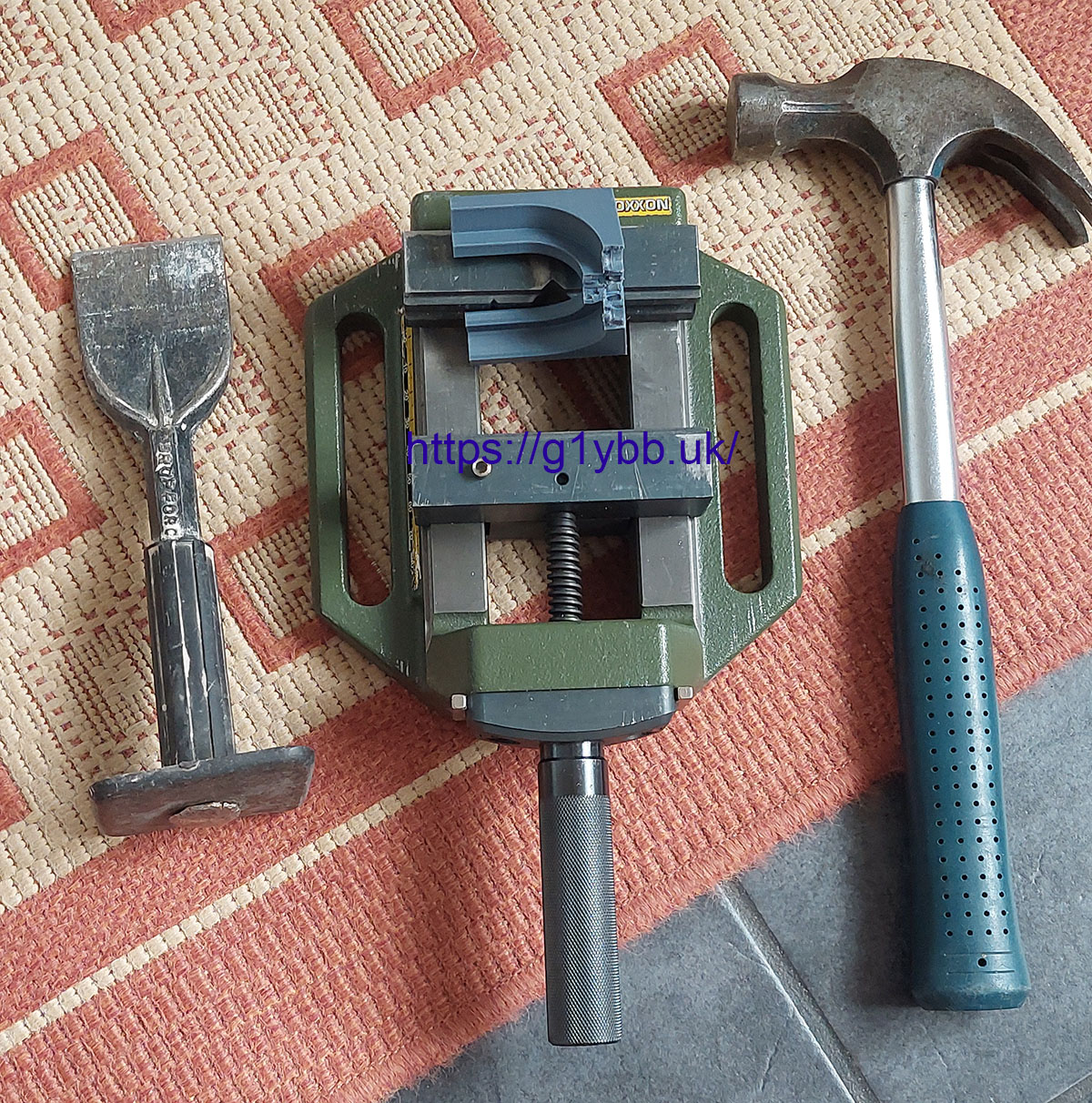
First I crushed the legs together in the drill press vice (because it’s more handy than my 6 inch vice) and I did break it at the middle point, but it still refused to let go of the brass bush.
So next I lay it across the jaws and split it sideways with a cold chisel (as that was close at hand too).
This did the job:
tools to break jig
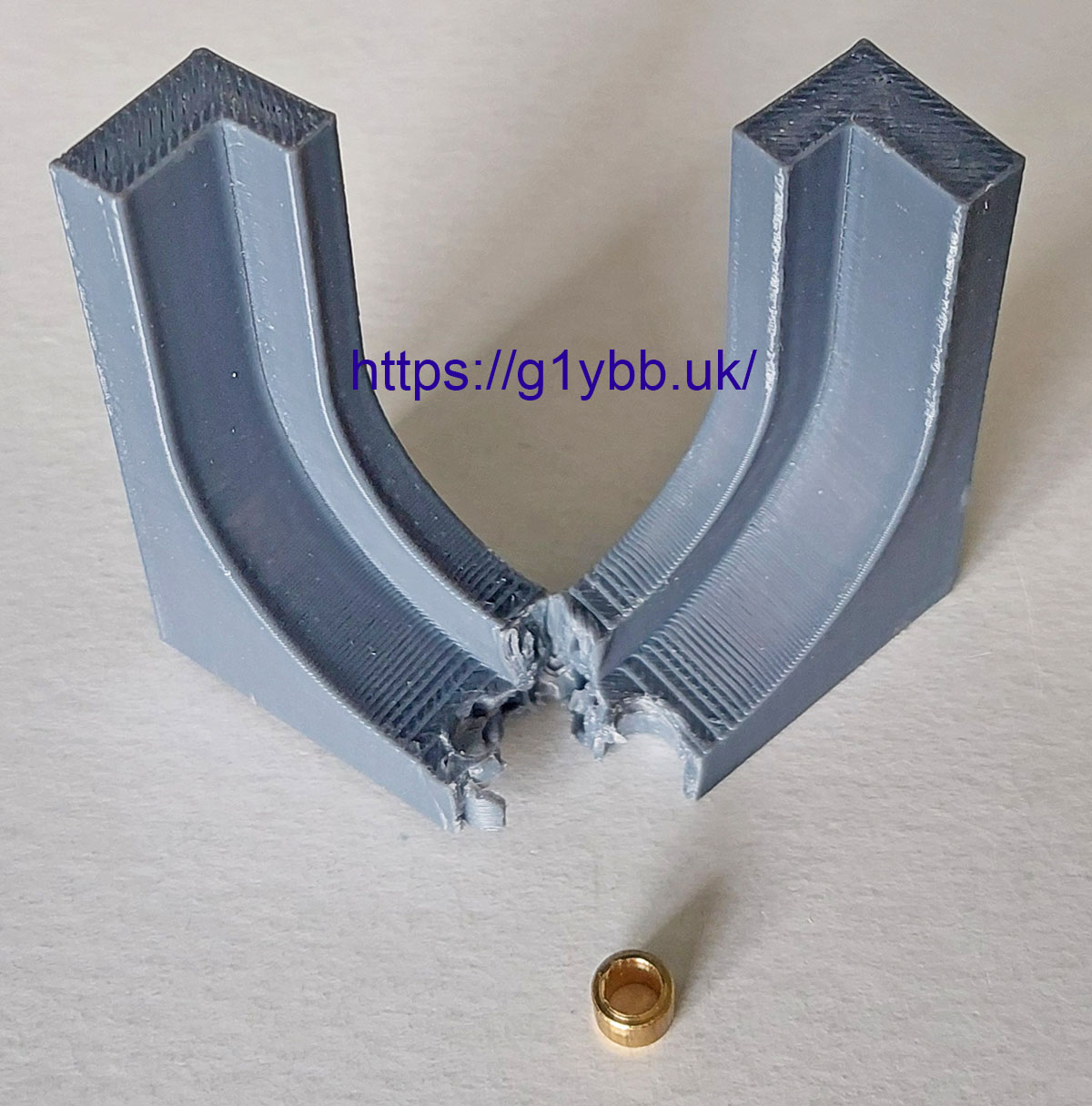
I must admit I was very pleasantly surprised at the length I had to go to in order to break this! When you look at the amount of material at the break below (that bush is 4mm tall) it’s really quite impressive.

jig after breaking

So my conclusion is when asked “Are 3D printed parts strong enough?” is that yes they are if printed in the correct material and with an eye for manufacture at the design stage and with correct settings at the print stage.
PETG isn’t even the strongest material we can quite easily get and print with. But it is very readily available and as cheap as PLA/PLA+ pretty much. Some of the stronger materials like ASA need more consideration on fume handling etc so for now I am pretty pleased with the performance of PETG and only wish I had made the switch before!

Arbor press bending brake press

At first glance my arbor press bending brake press modification might not seem amateur radio related but in fact the first job for it will be element mounting plate support brackets for a 10m moxon.

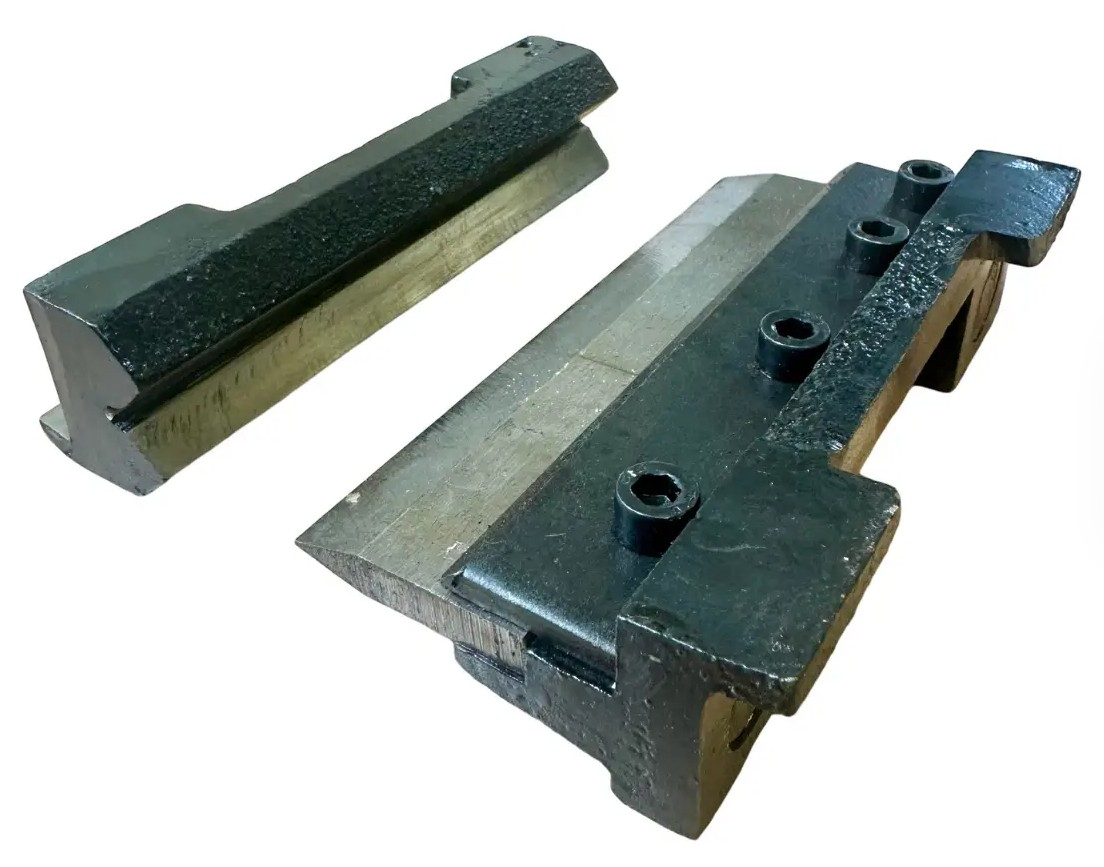
As a hobbyist we have probably all bent sheet metal in a vice tapping with bits of wood etc but it’s always a bit of a poor job at the end, certainly when I do it anyway! But some time ago I got hold of a small vice based bending set like this:
vice press brake setAt the time I didn’t actually have a vice only having a drill press vice but the jaws on that don’t open wide enough to take these so it sat around doing nothing for a while.
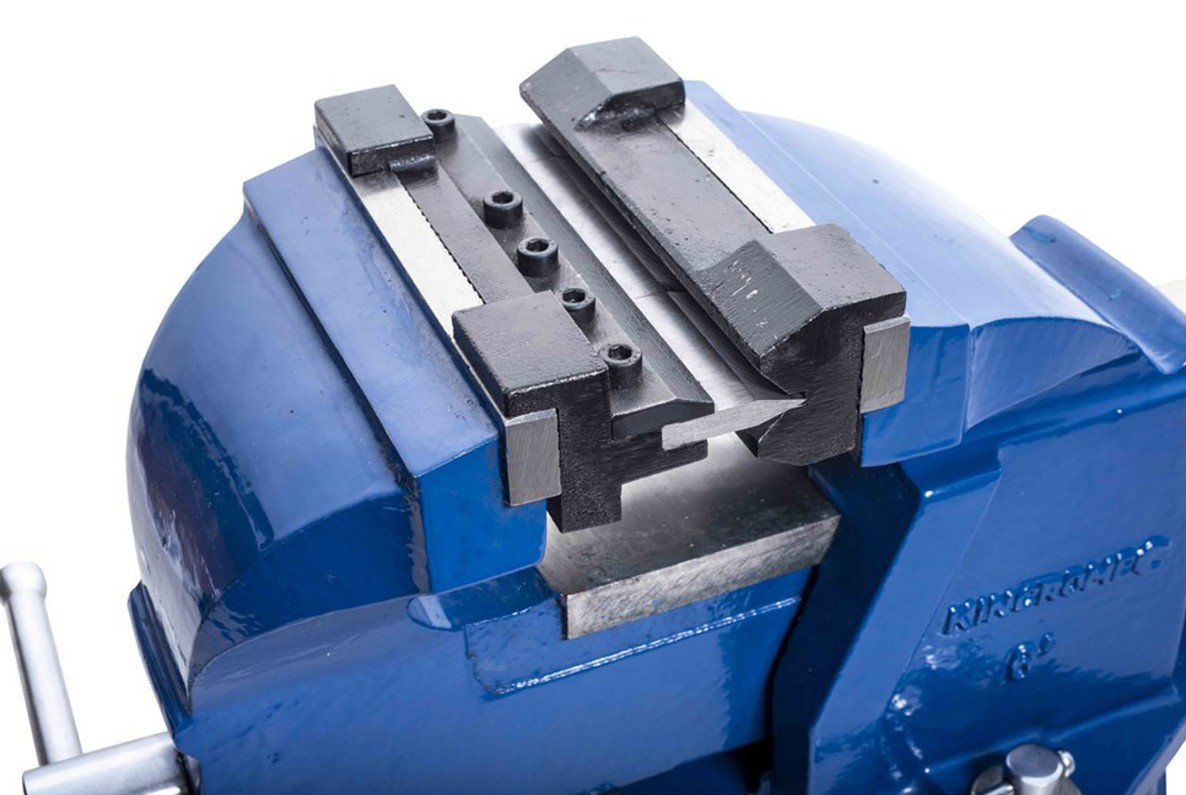
I did then decide I needed a vice for this and other jobs so got myself one and did some small brackets for my TMF-3 based DXcommander style vertical portable antenna.
brake press fitted into viceBut in making these simple L shaped brackets I noticed a couple of things. It’s really hard to make a fold the exact angle you want at all and even harder to make more than one the same! Also, as my ‘workshop’ is usually the bench in the garden so my vice is packed away when not in use and not bolted down to a bench like most I have to clamp it down to stop all the weight at the front tipping it over. Additionally there is very little ‘throat’ so the longest flange you can make is about 3 inches, the distance above from the bending V to the top of the sliding body part. So I decided I would utilise my arbor press. continue reading

Mini lathe cross slide modification

You may wonder what a mini lathe cross slide modification has to do with Amateur Radio but it is a tool I use a lot for radio gear. Mostly for the plastic bearing rings on my coax loop free guy rings ( https://g1ybb.uk/g1ybb-coax-loop-free-guy-rings/ ) but also for other little items like the YBB Washer ( https://g1ybb.uk/the-ybb-washer/ ) so very closely related to my radio activities.

My lathe is a cheap Warco mini lathe that I bought from an old friend G3LZM (now SK) and it sat unused for a LONG time. But now it sees more action and as a good friend of mine recently bought the Warco super mini lathe and has corrected some of the cost saving shortcuts I am trailing along adding a few to mine. So this one deals with the cross slide, or to be precise, the lead screw.

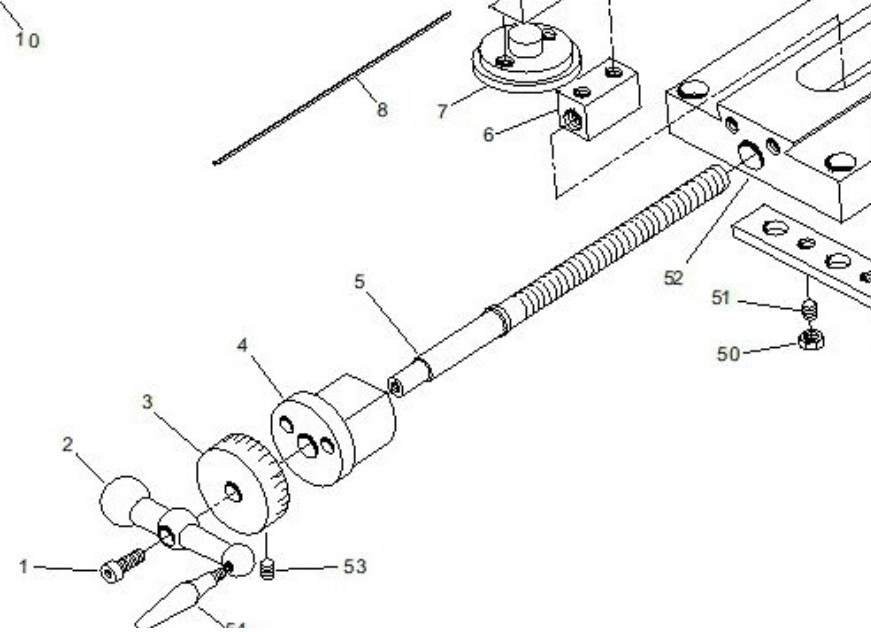
mini lathe cross slide exploded drawing

As seen in the exploded view above the lead screw (item 5) has a shoulder on it that sits in a machined recess in the cross slide boss (item 4) and it trapped up against the main body of the carriage (item 52). There is no bearing at all and the boss is aluminium. You can see this in my photo below: continue reading

The YBB Wire Winder system for radials

This page describes the YBB Wire Winder system for radials for amateur radio vertical antennas and why I have come up with this design to make winding up vertical antenna radial wires easy.

I’m in the process of using my 50 foot fibreglass push up mast as a multiband vertical antenna as often referred to these days as a DXCommander. The build of that is detailed here:
https://g1ybb.uk/tmf-3-based-dxcommander-style-vertical-portable-antenna/

But one thing I have already discovered in various tests is the wire radials for the ground plane are a complete pain in the butt to deploy and untangle. If you do not spend some time at pack up taming the wires you are surely going to regret it next time!

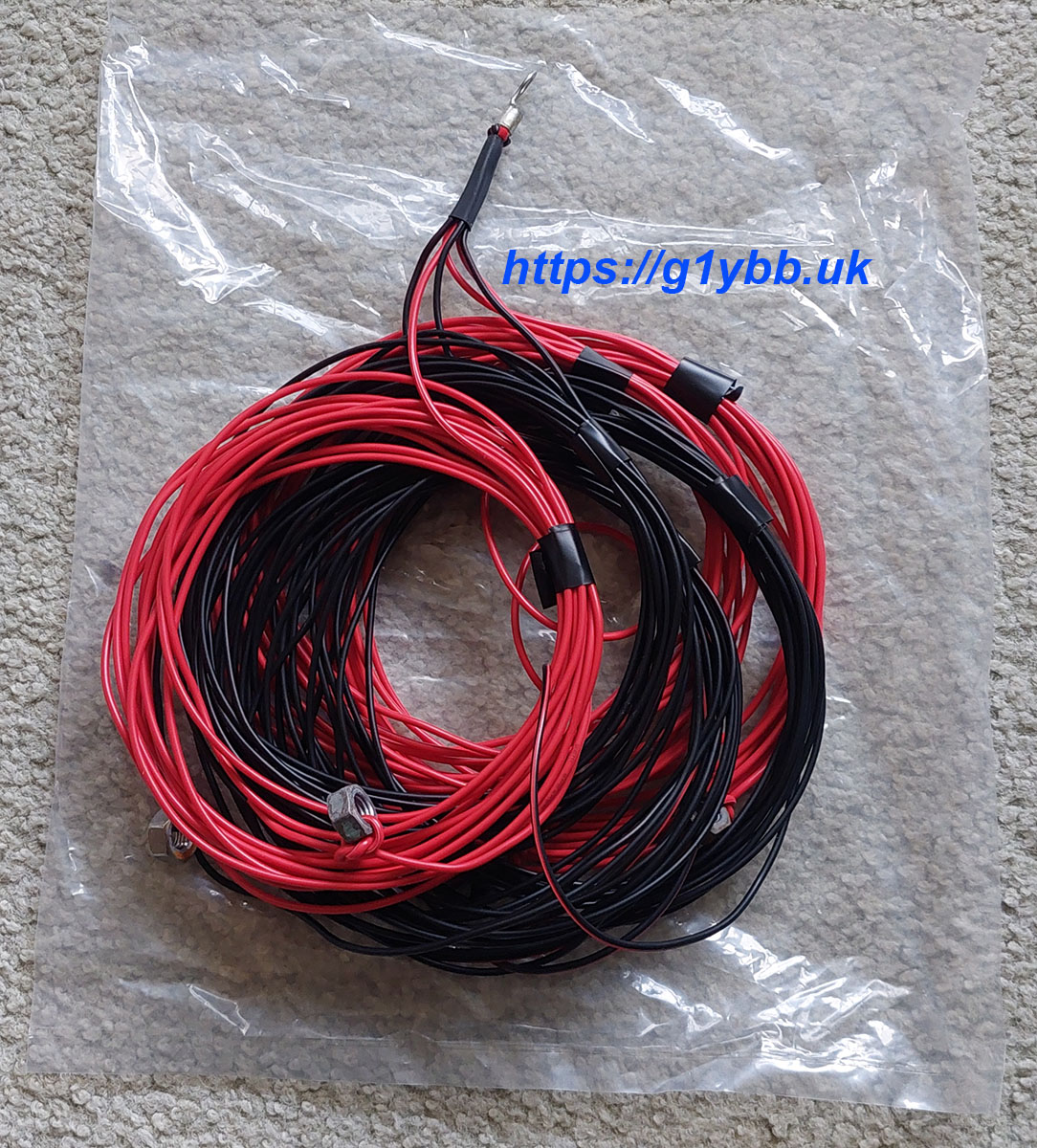
My radials are in bunches of 6 soldered into one ring terminal per 6. Six wires really love building birds nests for some reason. Currently I am coiling up each wire and securing it with tape, then putting the set of six into a bag to isolate them from all others. This works but is very time consuming and will fail when raining as the tape won’t stick. Here is one set:
6 radials coiled up
As I have several sets of radials of differing lengths I needed to come up with a better solution to make it faster and easier. After some pondering I have come up with The YBB Wire Winder System for radials. continue reading

The GM3SEK mains filter

I’ve looked at the GM3SEK mains filter several times but nevertaken it any further. My worst noise at home varies with beam heading on HF so I suspect it is being received by the antenna itself and assume filtering the mains would have no effect. But recently I was testing an antenna on 80m and noticed quite a bit of noise from the Honda EU10i generator I have which wasn’t there (as I remember) some years ago on 80 using the EU20i. So I decided I would build a GM3SEK filter to try to stop the generator noise and as a side effect, could see what happens at home!

The starting point is on Ian’s site here:
https://gm3sek.com/2019/10/11/clean-up-your-shack-2019/

continue reading

TMF-3 based DXcommander style vertical portable antenna

This is a build of a TMF-3 based DXcommander style vertical antenna for portable use because at home I just do not have any space for anything on the lower bands. Also, when I did put up an inverted V once for 40m (hell of a job) it induced so much RF into the house it was not a great plan.

The basics of the DXcommander style verticals are well know, I won’t be going into that. This is focused on making use of my TMF-3 50 foot (15 metres) heavy duty fibreglass push up mast that O bought during lockdown, used for a while to support my lightweight 20m moxon but has been doing nothing since.

This video shows the TMF-3 mast and the guying points I have already made for it (excuse wind noise):

continue reading

Wire guides for moxon or cobweb

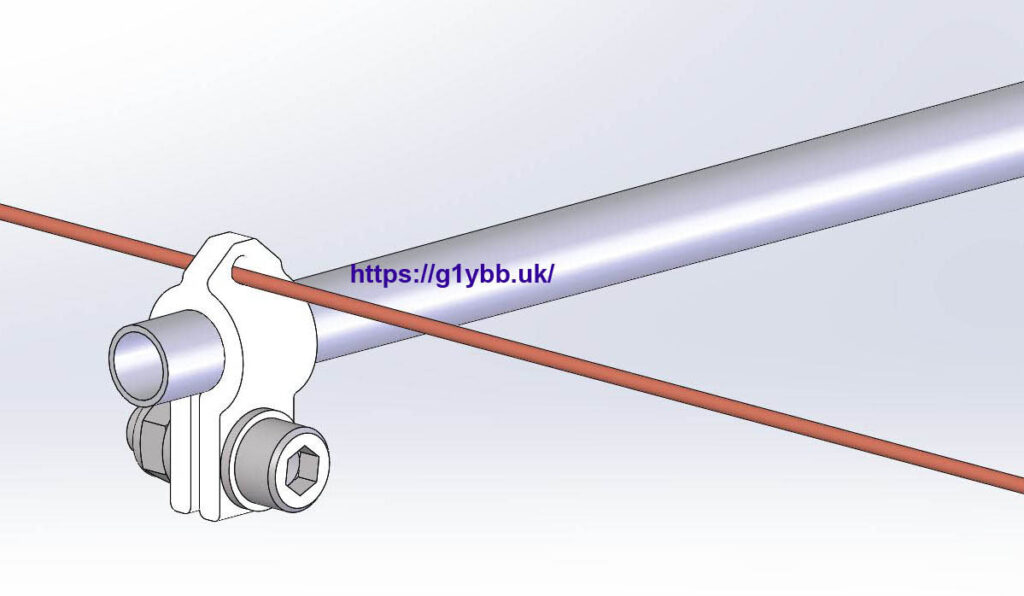
I have had a few emails now from people asking for STL files to print themselves some of the wire guides I have used on my disguised cobweb or my 20m wire moxon. So I have uploaded 3D printed wire guides for moxon or cobweb antennas in various different sizes for free download.

3D printed wire guide shown fitted to fishing pole

I have no idea what size tubes other people are using so I have made a set that covers poles from 7mm diameter up to 25mm diameter in 1mm increments. continue reading

The YBB boom tether system

Like many hams, when there is a lot of wind about outside I have to check on how the mast is doing. One thing I did not like was the way the wind rocks the beam back and forth on the rotator. I figured this cannot be good long term of the gears, especially as they seem to be mostly plastic. (Unverified)
When you have something like a 20m moxon up the play back and forth looks quite dramatic. So here I am sharing my YBB boom tether system idea.

For a couple of years now I have had a small arm attached to the stub mast and I guyed that down but it was very short and even with a lot of tension the boom still moved about in bigger winds. Also was quite a lot of  sideways downforce on the rotator (I don’t have a cage).

So in the design and build of my new 20/15/10m tri-band 2 ele beam I incorporated a tethering system on the boom itself at each end to have more effect and balance the side loading to the rotator.

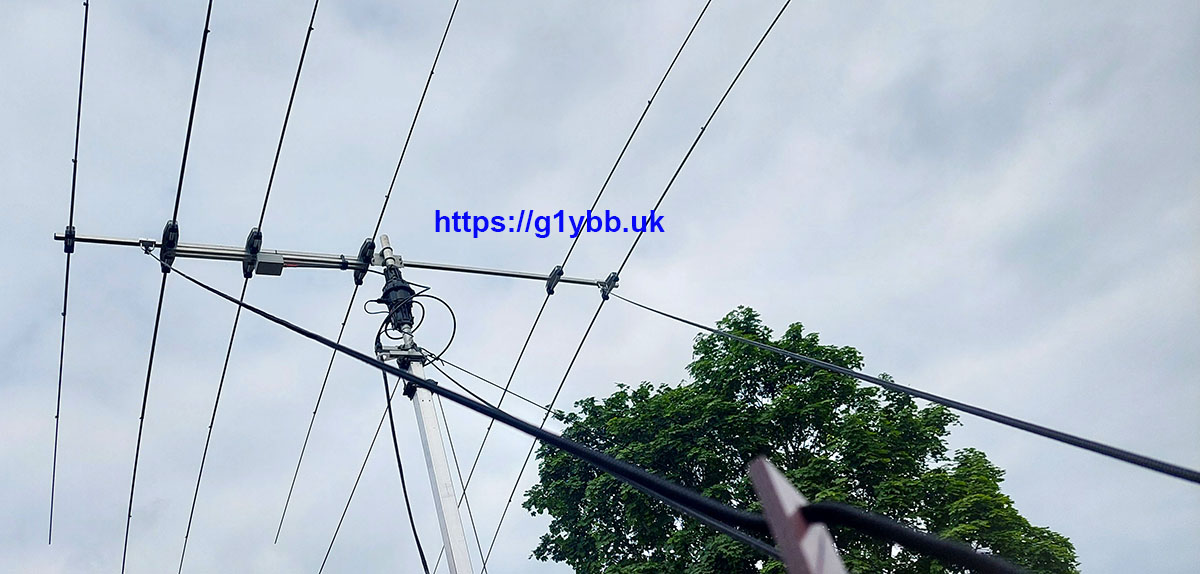
This has proven to be very successful, keeping the boom practically motionless while the 20m moxon element dances all over the place. So I thought I would share it as an idea for others, especially those with a christmas tree stack of beams. I always retract the mast when not on the air, but I know others also retract their masts when high winds are due, and this could help then.

This is the mast retracted to about gutter level and the beam tethered. The left hand tether point is close to the 20m driven because the balance point of the beam is to the left of the 10m driven so it was a small contribution to try and reduce the imbalance on the mounting point.

triband beam tethered

continue reading